Guest and Invitation Statuses
Invitation Status Overview
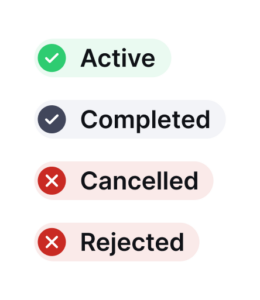
As a host, you’ll see your invitation in one of the following statuses.
– Active: The invitation is active and ready to start.
– Completed: The invitation period has ended.
– Cancelled: The invitation has been cancelled by the host.
– Rejected: The invitation has been rejected by the receptionist.
Individual Guest Invite Statuses
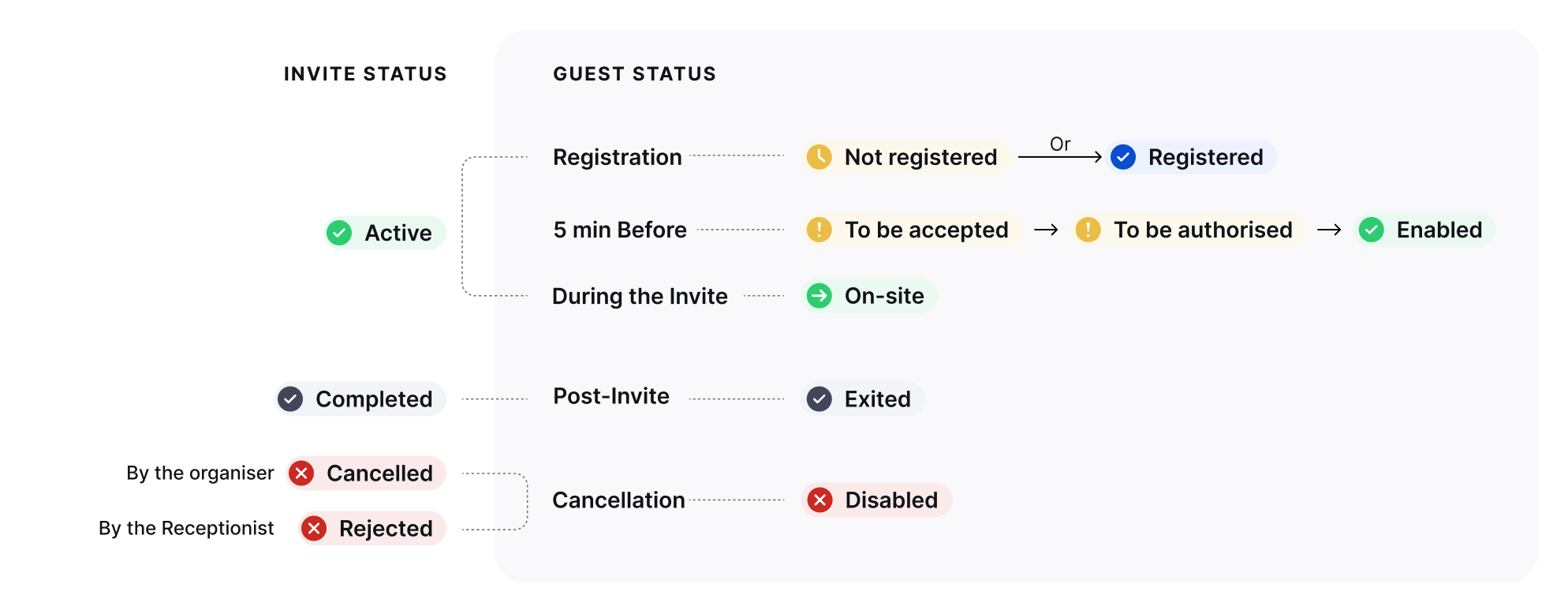
Each guest invite, displayed in the detail view, will have one of the following statuses. Please note that not all statuses are available for every building, as this depends on the building’s configuration.
– Not Registered: The guest received an email invitation but has not yet completed portal registration.
– Registered: The guest completed registration and provided the required details. A reminder email will be sent prior to the visit.
– To be accepted*: Activated 5 minutes before the visit. The guest receives an acceptance form via email. No action needed from the host.
– To be authorised*: The guest submitted the acceptance form and is awaiting reception approval.
– Enabled: Reception authorized the guest. Access credentials (badge) will be sent on the start date.
– On-site: The guest checked in and is currently on-site.
– Exited: The guest checked out and left the building.
– Disabled: The guest was disabled due to a cancelled or rejected invitation.
* Note on building configuration: These statuses only appear if enabled in your building’s workflow settings. Buildings that do not require guest acceptance forms or reception approval will bypass these steps automatically.
This feature is currently available only via webapp