Request details & Status
Click on the request you’ve just created to view its details.
You will be able to review all information you inputed during the creation process as well as additional information and updates on the progress of your request.
You will be able to track updates in the following informations:
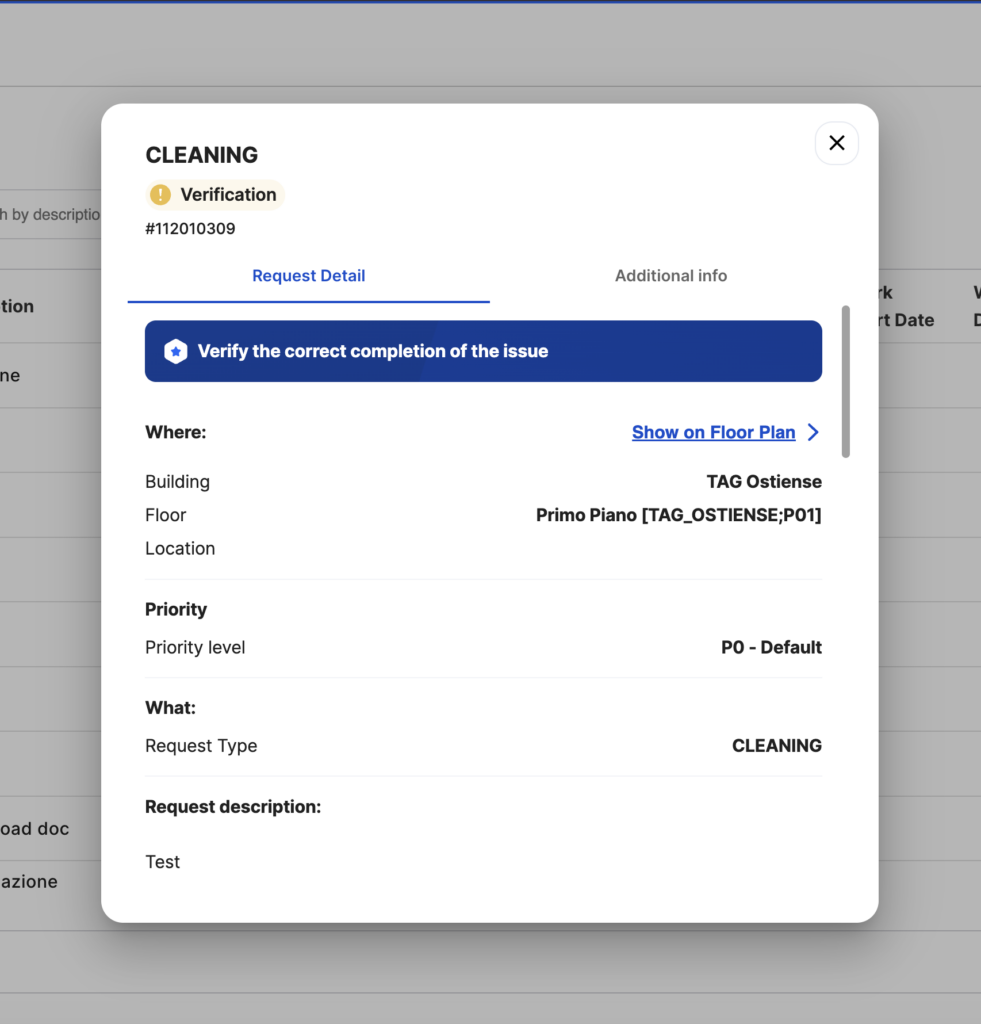
Statuses (number may vary based on your company)
-Requested: Opened but not taken charge of
-In progress: Taken charge of and getting worked on
-Survey/Evaluation: Completed but action required from the user
-Completed: Request completed, the user can still open a complaint
-Cancelled: Request cancelled by backoffice, reason may vary
Timing details (if available)
-Inspection Date and Time
-Work Start Date and Time
-Work End Date and Time
Vendor Details (if available)
-Vendor
-Technician’s Name
-Intervention Notes
Tap on the request you’ve just created to view its details.
You will be able to review all information you inputed during the creation process as well as additional information and updates on the progress of your request.
You will be able to track updates in the following informations:
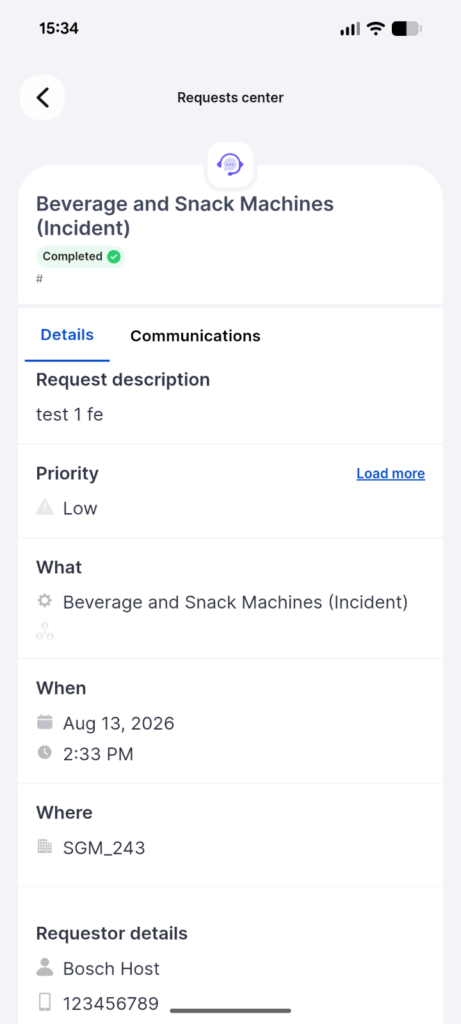
Statuses (number may vary based on your company)
-Requested: Opened but not taken charge of
-In progress: Taken charge of and getting worked on
-Survey/Evaluation: Completed but action required from the user
-Completed: Request completed, the user can still open a complaint
-Cancelled: Request cancelled by backoffice, reason may vary
Timing details (if available)
-Inspection Date and Time
-Work Start Date and Time
-Work End Date and Time
Vendor Details (if available)
-Vendor
-Technician’s Name
-Intervention Notes