Request center overview
Overview
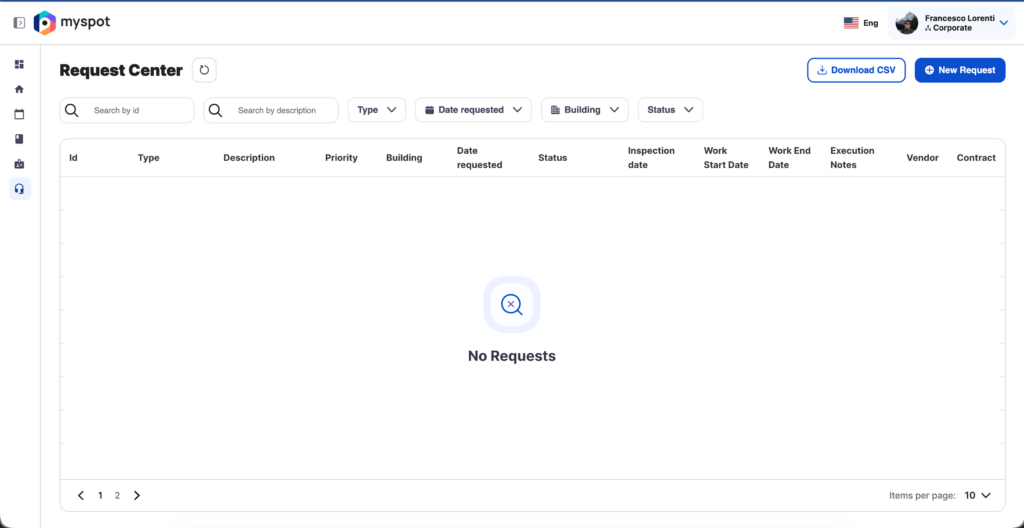
The Request Center is a key feature of Myspot Facility, designed to ensure an excellent experience within workplace environments by facilitating seamless service requests. It plays a crucial role in maintaining the availability and functionality of workspaces, helping to address issues promptly and efficiently.
It offers users flexibility and convenience to create ticketing requests anytime, anywhere.
When you land on the Request Center, you’ll see a table containing all the requests you’ve previously opened and button to open new requests.
The table offers a few feature to navigate it more easily such as:
-Filters, easily found at the top the table
-Pagination, at the bottom
Filters

The table includes several features that help you find and explore information easily:
A.Search bar: Quickly find requests by Work Request Id or Request Description.
B.Problem Type: Filter requests based on the type of issue.
C.Date Requested: Check when the request was submitted.
D.Building: Filter request based on building.
E.Status: Track the current status of your request.
Pagination
You can easily change the result page if you need to find an older request (A), you can also change the number of displayed result per page (B) higher count may increase load time on slower connections.

These features make it easy to quickly locate specific requests.
Overview
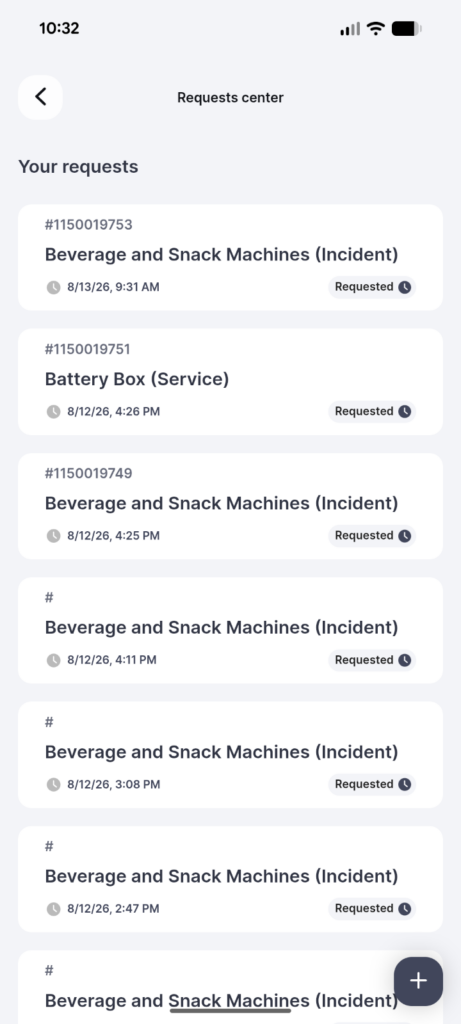
The Request Center is a key feature of Myspot Facility, designed to ensure an excellent experience within workplace environments by facilitating seamless service requests. It plays a crucial role in maintaining the availability and functionality of workspaces, helping to address issues promptly and efficiently.
It offers users flexibility and convenience to create ticketing requests anytime, anywhere.
When you land on the Request Center, you’ll see a list containing all the requests you’ve previously opened, sorted by date, and button to open new requests.