2- Select service
Choose the Request Type for your request from the available options. To select the Problem Type, you need to choose three categories in sequence.
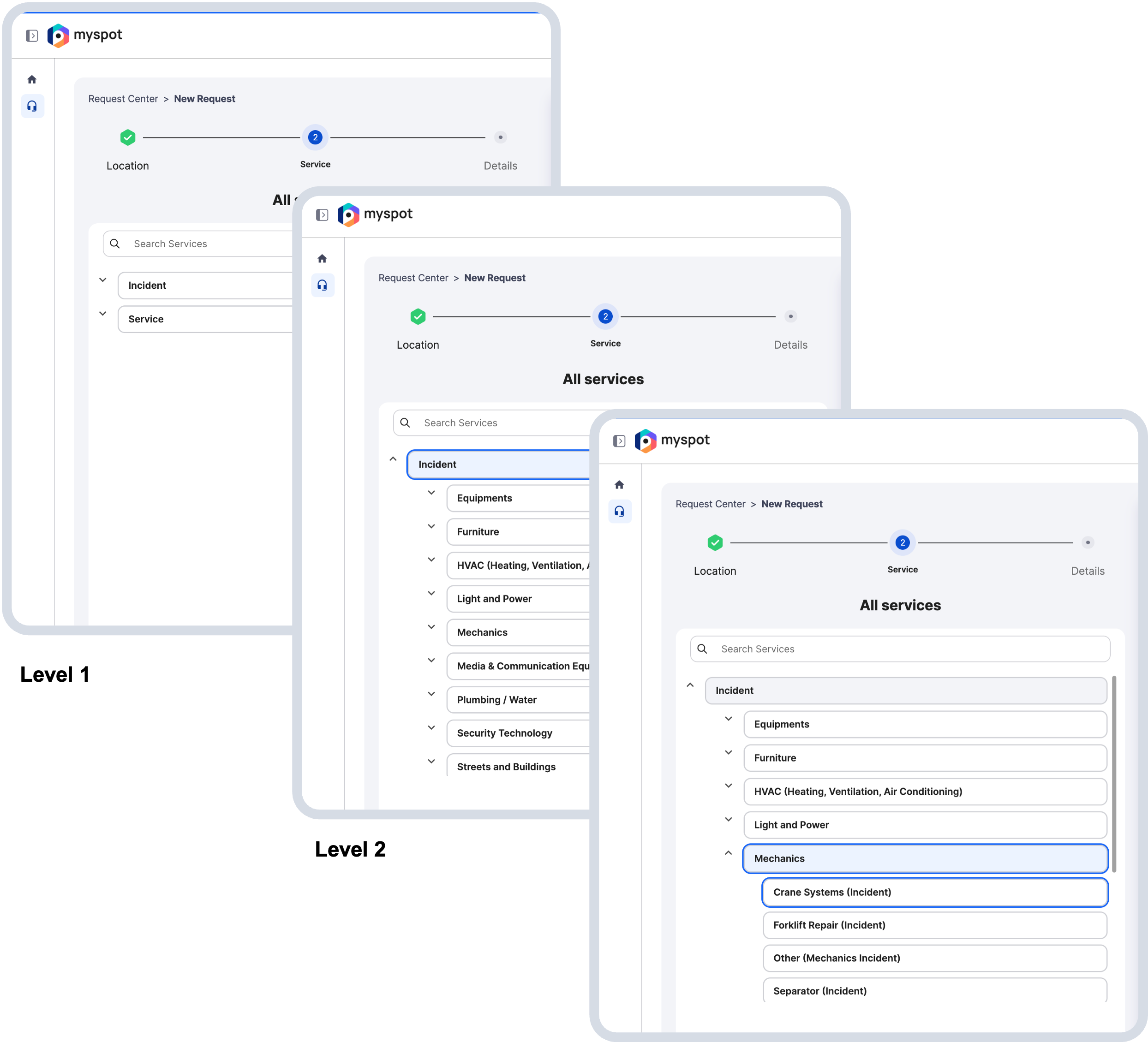
First, click on a main category to view the related subcategories.
Then, select the subcategory that best matches your need to open the specific request form.
Finally, choose the third-level category.
When you click on the item it will be automatically selected and open the corresponding content. If you only want check the content, without selecting an item, use the arrow on the left of each item.
Once you have selected the final service, you will be automatically taken to the next step. You can always go back using the back button or the edit in the right panel “request summary”.
Disclaimer: The actual number of level are dependent on your specific company.
Choose the Request Type for your request from the available options. To select the Problem Type, you need to choose three categories in sequence.
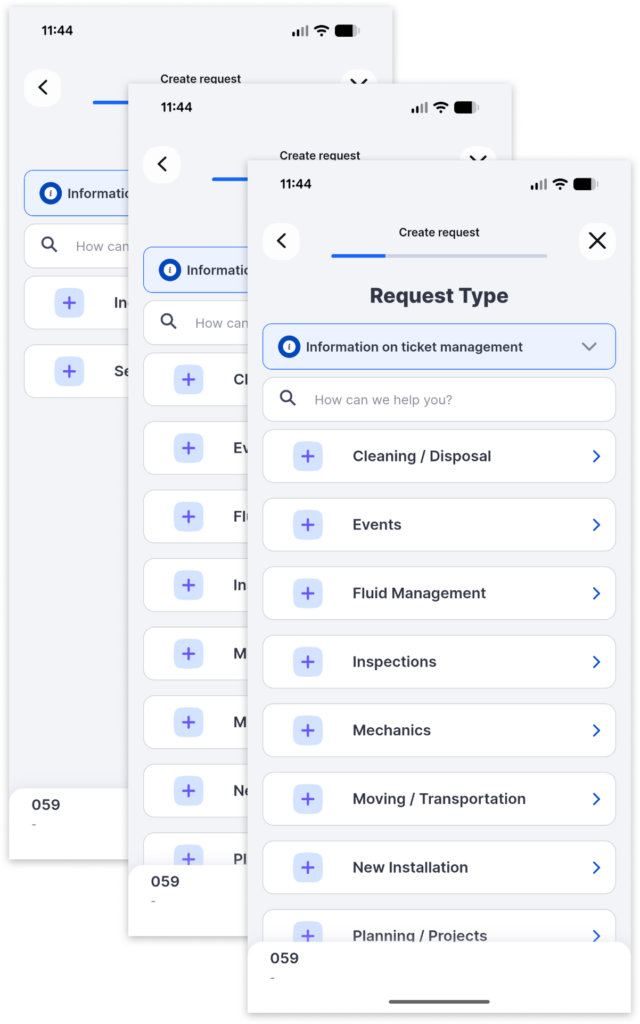
First, click on a main category to view the related subcategories.
Then, select the subcategory that best matches your need to open the specific request form.
Finally, choose the third-level category.
When you click on the item it will be automatically selected and open the corresponding content. If you only want check the content, without selecting an item, use the arrow on the left of each item.
Once you have selected the final service, you will be automatically taken to the next step. You can always go back using the back button or the edit in the right panel “request summary”.
Disclaimer: The actual number of level are dependent on your specific company.