Manage your invite – Host
Overview
Click on the invite you’ve just created to view all its details. You’ll be able to review all the information you entered during the creation process.
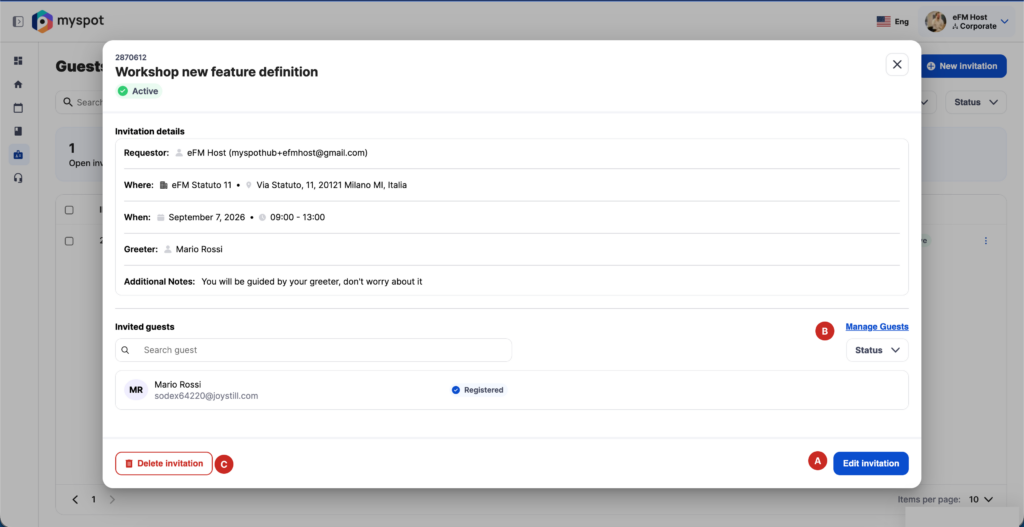
From there you can also:
A- Edit invitation
B- Manage guests
C- Delete invitation
Edit invitation
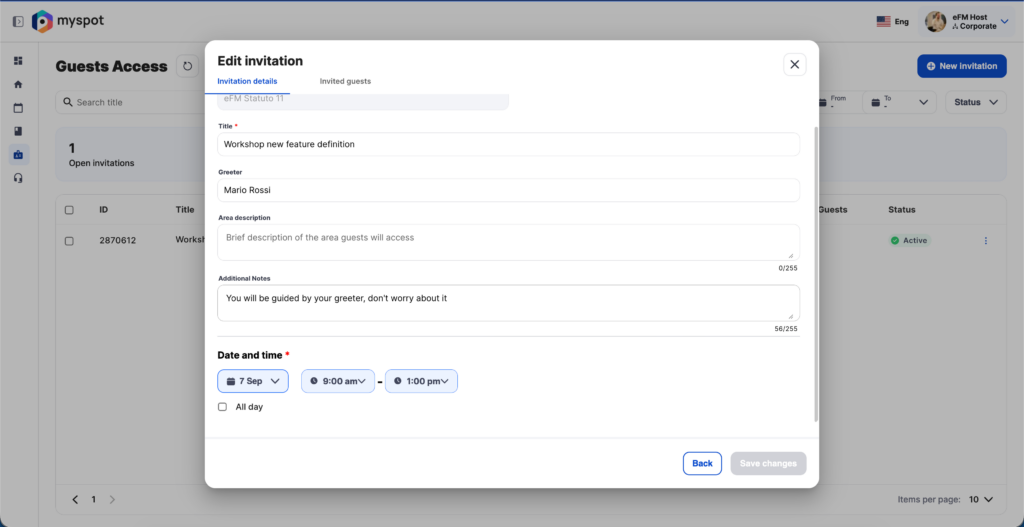
If you need to change the date, time, or any other information about your invite, use this view to update the details and save your changes using the dedicated button. Invitees will receive an email notification with all the changes.
The only information you cannot update is the selected building. If you need to change the building, you’ll have to delete the existing invite and create a new one.
Manage guests
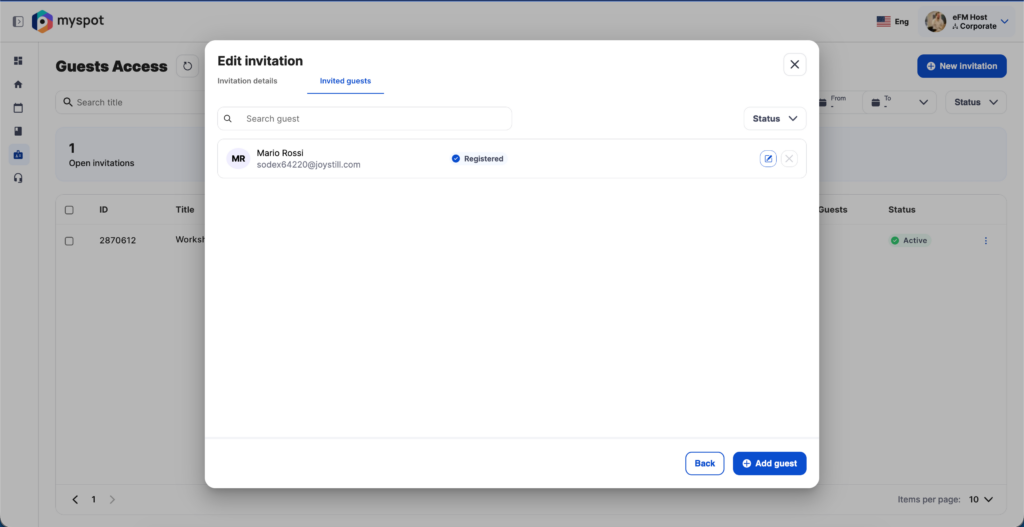
You can add or remove guests from your invite at any time.
If you need to correct a guest’s information, click the Edit button next to the invitee’s name.
Delete invitation
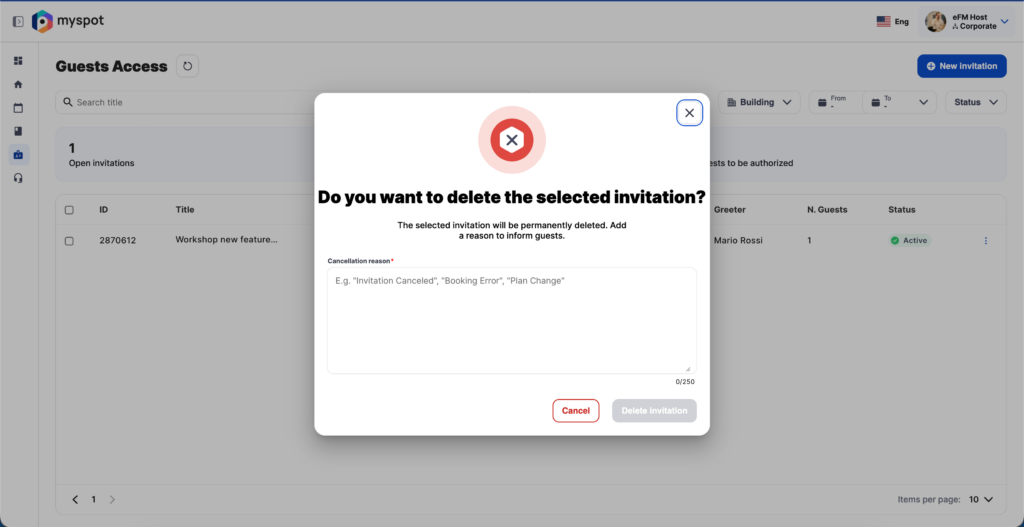
You can also completely delete an invitation. When deleting an invitation, you can add a note that will be included in the deletion email sent to the invitee.
This feature is currently available only via webapp