Additional information & Complaints
Use this section to share updates or communicate with the person or company managing your request.
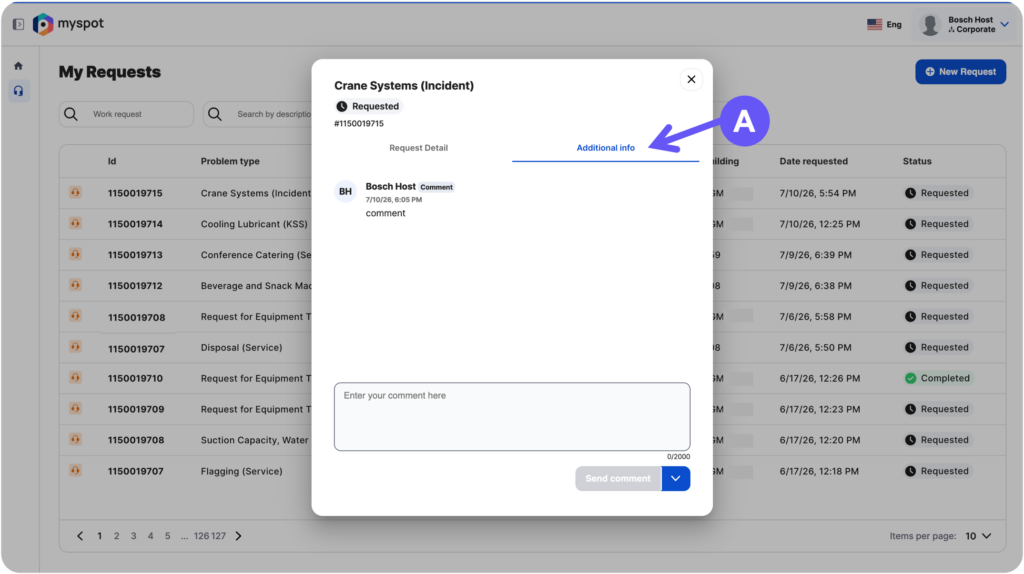
Open your request, go to the Additional Info tab (A), and enter your message or respond when more information is requested.
You will be able to add comments while ticket is: “requested” or “in progress”
If your request did not meet your expectations and its status is marked as “Completed”, you may submit a complaint by opening the request details and accessing the Additional Info section. Here, you can provide your feedback and submit a complaint(D).
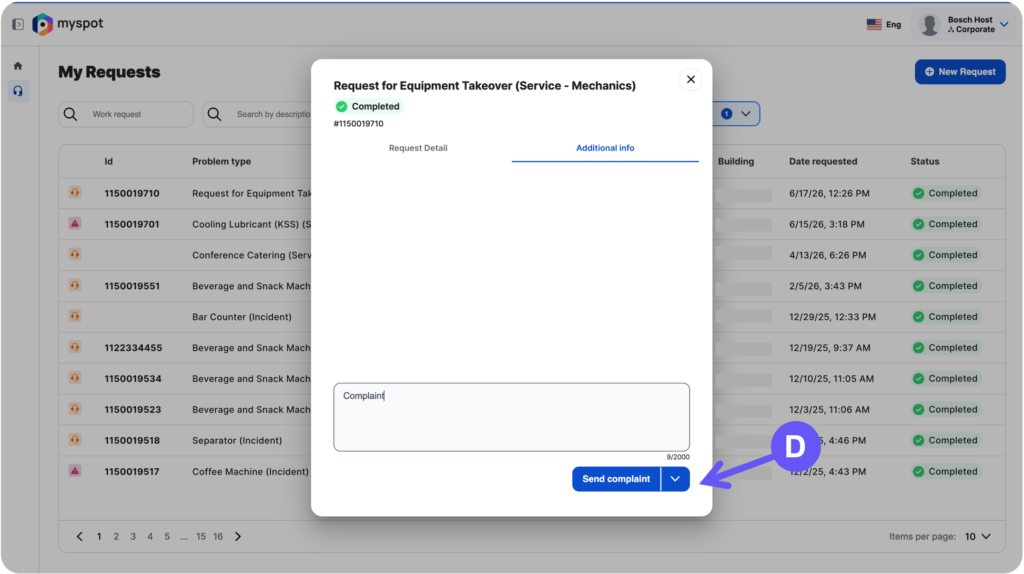
By submitting a complaint, a new request will be created automatically. Your original request will remain in “Completed” status. You can distinguish a regular request from a complaint by checking the first column on the left of the table.
Use this section to share updates or communicate with the person or company managing your request.
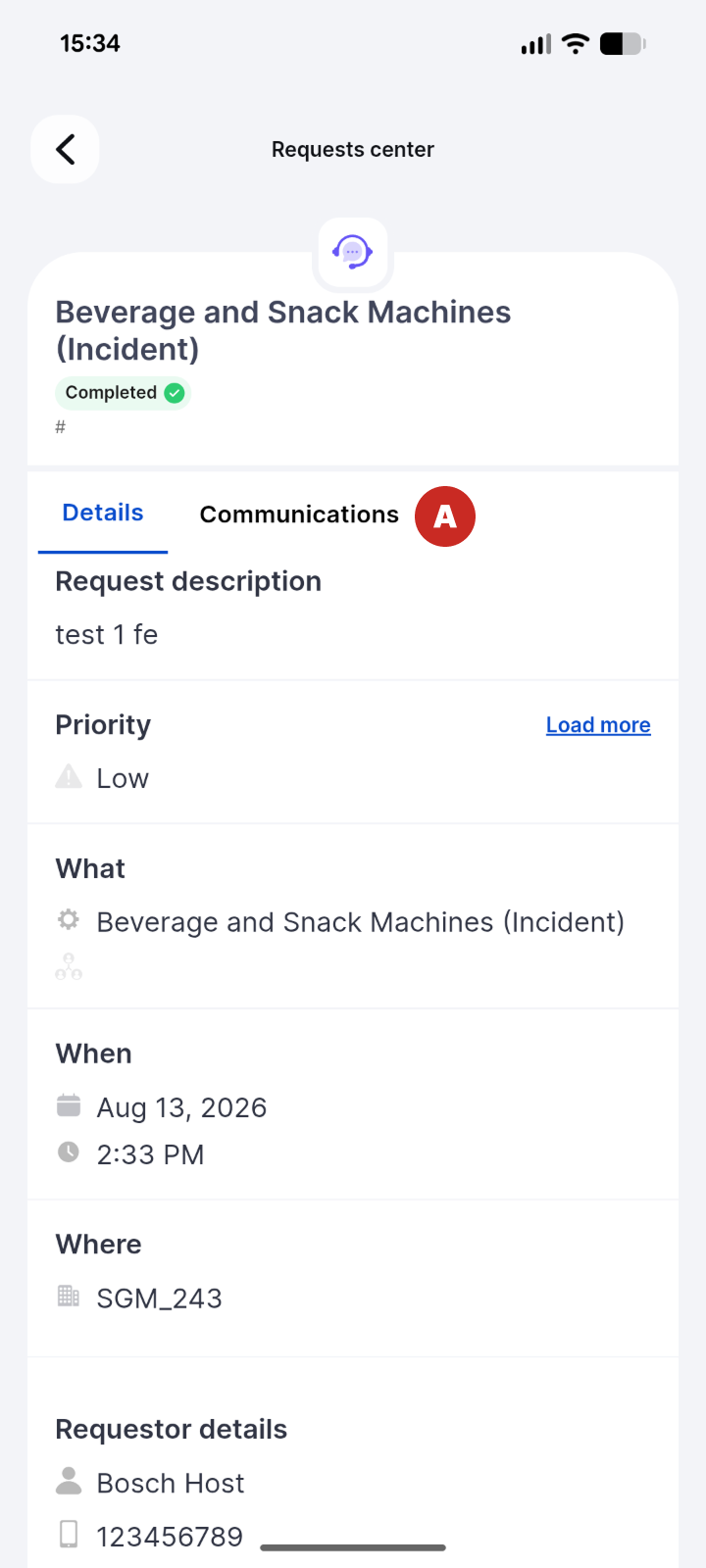
Open your request, go to the Additional Info tab (A), and enter your message or respond when more information is requested.
You will be able to add comments while ticket is: “requested” or “in progress”
If your request did not meet your expectations and its status is marked as “Completed”, you may submit a complaint by opening the request details and accessing the Additional Info section. Here, you can provide your feedback and submit a complaint(B).
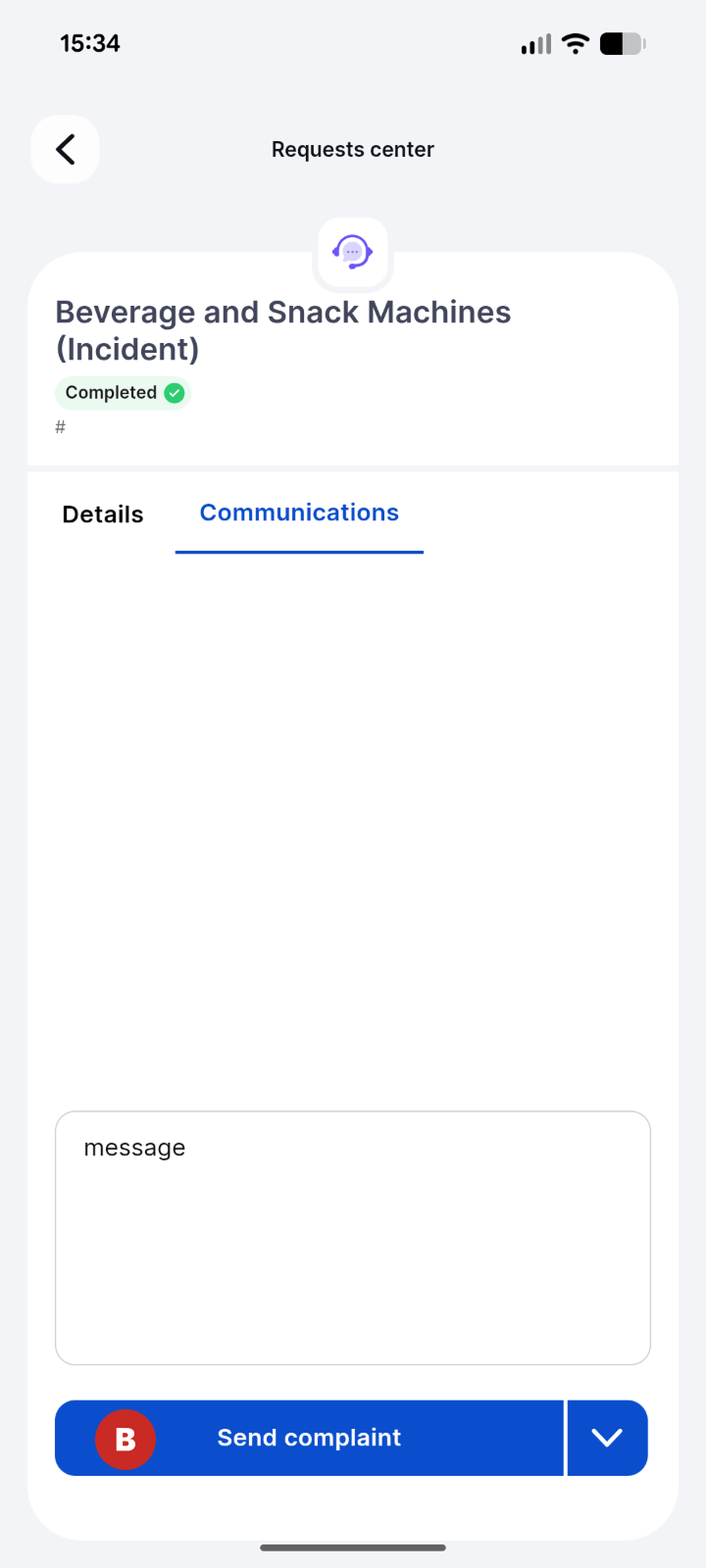
By submitting a complaint, a new request will be created automatically. Your original request will remain in “Completed” status. You can distinguish a regular request from a complaint by checking the details page .