Book for colleagues or guests
Myspot enables you to make a reservation on behalf of a colleague or a guest through your account.
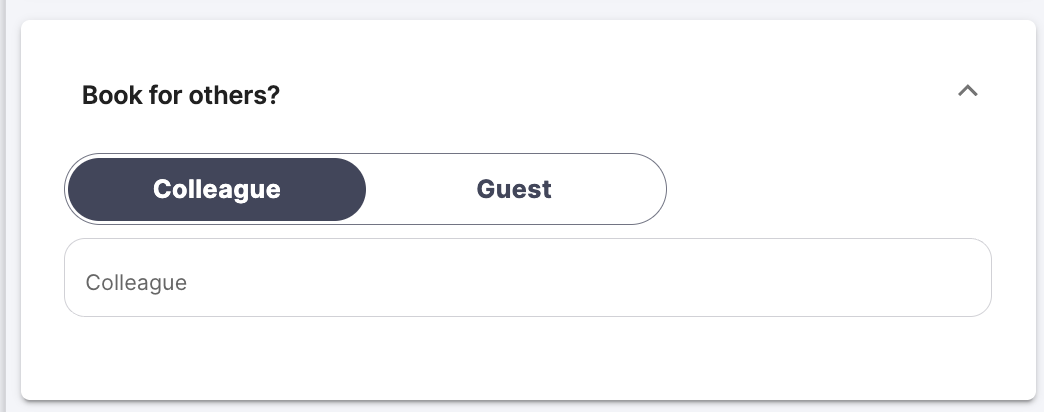
Book for a Colleague
Type your colleague’s name into the search bar and and select from the results appearing in the list.
The associated email will be displayed next to the name for verification.
Note: Booking for a colleague means that the person has been added to the system by the admin as your colleague.
If you cannot find them in the list, it may be because they have not yet been added to the system. In this case, you can still proceed by adding them as a guest.
Book for a Guest
Enter the first name, last name, and email, then click the Add Guest button, which willbe enabled once all required information is filled in.
Note: This feature is organization dependant.
Managing guest booking
Please mind that these reservation are on behalf of third-party users, this means that:
-they will receive notification of the reservation
-you can always manage their reservation
-for deleting or rescheduling the reservation, you can only manage it on their behalf
Once you finish to indicate all the details of a booking and everything is set, at the booking summary, Myspot enables you to make a reservation on behalf of a colleague or a guest through your account.
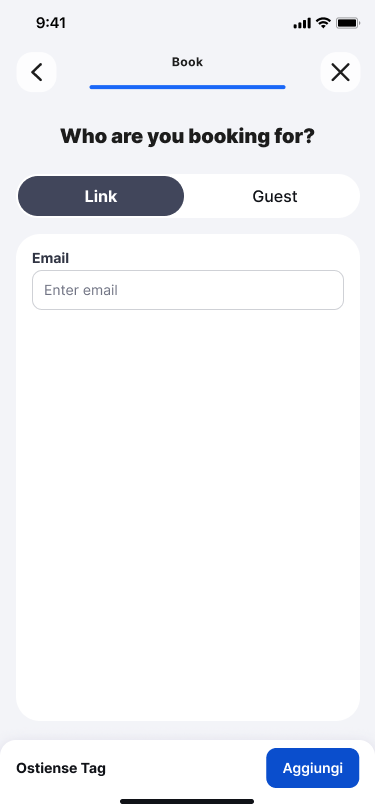
Book for a Colleague
Type your colleague’s name into the search bar and and select from the results appearing in the list.
The associated email will be displayed next to the name for verification.
Proceed with Next then tap on Book to complete.
Note: Booking for a colleague means that the person has been added to the system by the admin as your colleague.
If you cannot find them in the list, it may be because they have not yet been added to the system. In this case, you can still proceed by adding them as a guest.
Book for a Guest
Enter the first name, last name, and email, then click the Add Guest button, which willbe enabled once all required information is filled in.
Proceed with Next then tap on Book to complete.
Note: This feature is organization dependant.
Managing guest booking
Please mind that these reservation are on behalf of third-party users, this means that:
-they will receive notification of the reservation
-you can always manage their reservation
-for deleting or rescheduling the reservation, you can only manage it on their behalf