Landing Overview
Once you login you will land on the Workplace overview page.
From here you can monitor your whole experience in Myspot.
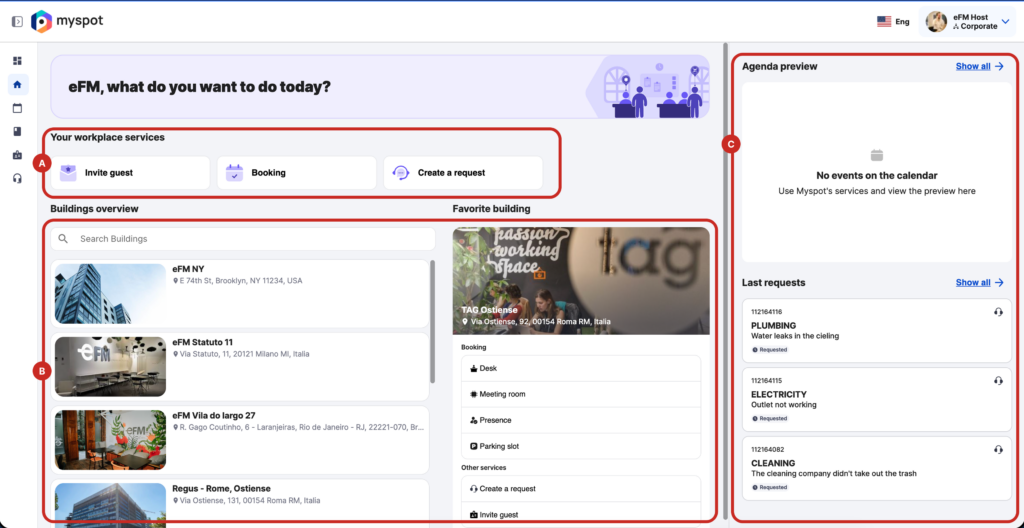
This page is divided into 3 main sections:
A. Active services shortcut
This links you directly to the platform most frequent actions such as booking a desk, opening a request or inviting external people to your company.
It’s a shortcut to avoid you having to use standard navigation for repeated actions.
B.Building & Favorite
This section shows you the full building list and by clicking on one you can access directly all related services. This is even easier if you set a favorite building as you will have all related services displayed.
C. For you section
In this section you will find a preview of your personal agenda showing your next booking, invites and events.
You will also see your last requests, if any are currently open, to monitor any update